Getting started with Arduino
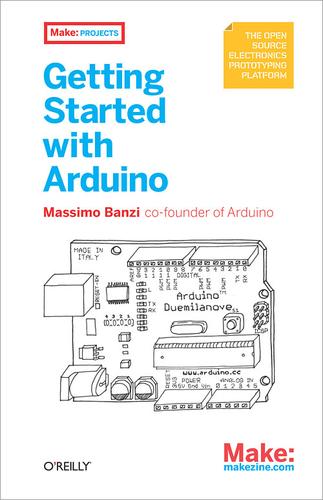
I love Make magazine. It captures the excitement and joy of tinkering, experimenting, and modifying things for fun. This is an experience I have had over and over through the years, beginning in my early childhood. I was that one kid that always took all of his toys apart, usually putting them back together with “improvements.”
I have learned so much from doing things this way, probably more than I have learned from books. I am a book lover, but more than that, I am a tinkerer. I’m never content with knowing theory, I have to get my hands dirty and experiment, often before I bother to learn the theory.
It is this very personality trait that caused me to enjoy a book I read this week, Getting Started with Arduino. The book is published by O’Reilly as part of their Make: Projects series. There is also an accompanying website dedicated to the project.
The book begins with a description of Arduino. This is an open source electronics prototyping platform designed for experimentation and learning. It was originally begun as a way to teach designers how to build prototypes of the projects they are designing, along with simple embedded software development. It turns out that is is a really fun-sounding hobbyist platform, too. I’ll get to the “fun-sounding” bit shortly.
The book is written in a way that an interested, but completely inexperienced person should be able to pick it up and read it, comprehend it, and begin to use the platform. I think that is possible. The text gives a clear and easy introduction to electronics without bogging down the casual newcomer in the details. In the long term, you would certainly want to study in greater depth from other resources, but for a person just looking to get started actually doing something, this book is ideal. It describes the Arduino hardware, gives an introduction to programming that is easy to follow and should allow any reader to play along with comprehension.
This is where I was unsatisfied: the software IDE and hardware drivers are easy to install and run on Windows and MacOSX, but not on Linux. There is a link in the book to a page that gives details of how to install on Linux, but it is more complicated and may turn some potential users off of the idea. I know that it’s ironic for a tinkerer to not want to tinker, but remember, the target audience is people who love to get their hands dirty without knowing or having to figure out the details in advance. There are links on that page to instructions for installation in various Linux distributions, but all that I checked were at least one release out of date. As I write this, I’m running the 64 bit version of Ubuntu 8.10, but the most recent Ubuntu instructions were for 8.04. Could I figure it out? Of course, but these missing details are disappointing.
My final evaluation is that the project looks like a lot of fun, and the book really is an enjoyable read. I can think of several uses for the hardware without even trying and it would probably be a blast to play around with. I will watch the project and hope to see the usability and interactability with Linux made/kept more up to date. When that happens, I’m in. In the meanwhile, you will probably find me at the electronics surplus/reclamation shop or the swap meet and garage sales for looking for my potential victims, I mean, experimentation platforms.